
POS software
Self-checkout kiosks, your product catalogue, prices, sale prices and stock. Scan a barcode to add or edit a product.
For independent grocery and convenience stores
Shoppers unlock the door with their phone and check out on their own. You get the POS, the analytics, the cameras and a video of every checkout, in one place.
$799 CAD a month per store
What’s included
No add-ons and no feature tiers. Every store on unifyaccess gets all of this, using the hardware you already have.
Self-checkout kiosks, your product catalogue, prices, sale prices and stock. Scan a barcode to add or edit a product.
Revenue, transactions, visitors and average basket by day, week, month or year, each compared with the period before. Finances and expenses too.
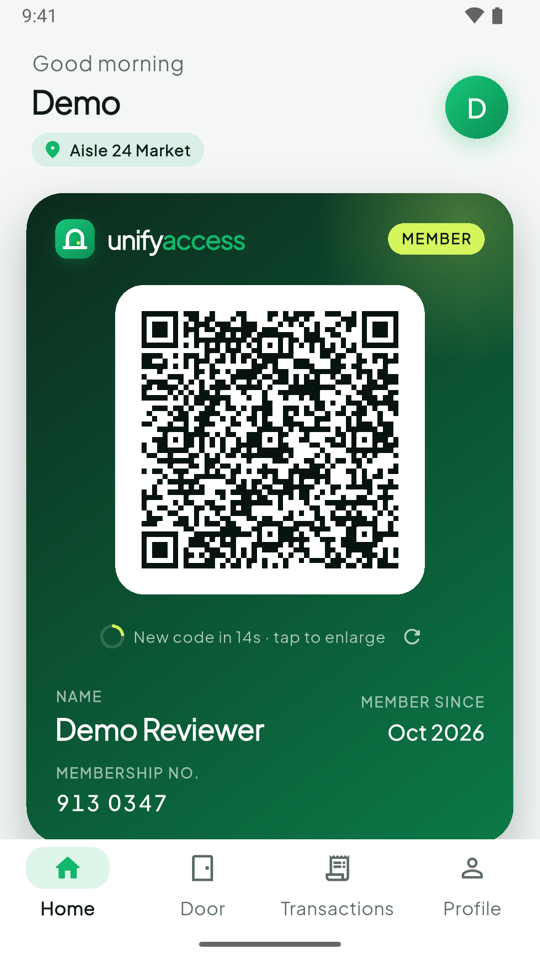
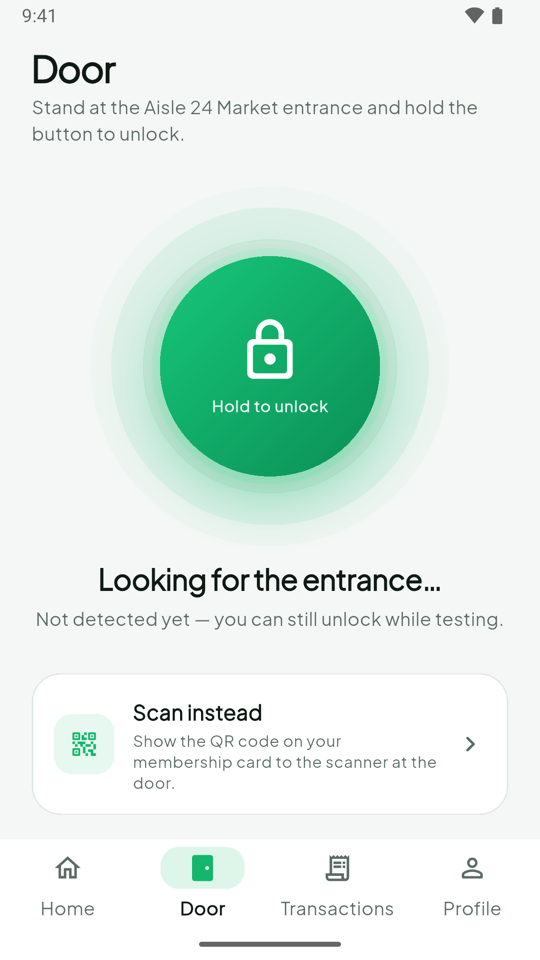
Shoppers open the door with a QR code or over Bluetooth. Only members with a verified face photo and a card on file get in. Unlock it remotely for a delivery.
Every sale and door entry is saved with a picture from the right camera at that moment, next to the receipt and the member who checked in.
Each self-checkout visit, from first scan to payment or walk-away, as one record: video, every item scanned and removed, and the outcome.
Watch every camera live, switch between SD and HD, and play back checkout video at up to 8×. Recordings are kept for 30 days.
Also included: team accounts with roles, a staff time clock and timesheets, multiple stores in one account, software updates, and priority support.
How it works
Download the app, take a face photo and save a card. It takes about two minutes.
Show a QR code at the reader, or hold to unlock over Bluetooth when they’re at the entrance.
Check out at the self-checkout kiosk and head out. You see the visit, the video and the sale.
Shoppers get the unifyaccess app here:
Pricing
No contract and no setup tiers. Pay month to month and cancel whenever you like.
Everything included
For one store. Each extra location is its own subscription.
$799CAD per store
per month
Ask about pricing for groups and multiple locations.
Getting set up
We talk through your store, your door and the hours you want to open, and check the hardware you already have.
We connect your door, cameras and self-checkout, and load your products.
We test everything with you, then you invite your shoppers.
Run every location from the same account as you grow.
FAQ
No. unifyaccess is $799 CAD a month per store, billed monthly, and you can cancel anytime.
All of the software: POS, analytics, door access, camera event tracking, checkout video and storage, team tools, updates and support. New hardware (if you need any), card processing fees and taxes are separate.
Yes. unifyaccess works with your existing door controller, cameras, store PC and kiosks. We check everything during the consultation and only quote what’s missing. Card terminals are the one exception: they have to come from the payment processor, so terminals from another provider can’t be reused.
No. Shoppers check themselves out at a self-checkout kiosk, the same way they would at a supermarket. unifyaccess decides who can come in, and records every checkout so you can see what happened.
Checkout video and the visit’s data are kept for 30 days. Live camera viewing goes straight from the store to your phone or browser, with no extra camera subscription.
Yes, to open the door. They sign up once with a face photo and a card. After that, unlocking takes a tap. There’s also a web version for shoppers who can’t use the app.
Book a consultation
We’ll look at your door, cameras and hours, and check what you can keep. If anything new is needed, you’ll get the quote up front. There’s no obligation.
Thanks. We’ll be in touch.
We’ll email you to book a time that suits you.
Leave your email for product news. We’ll only email you about unifyaccess.
You’re on the list. We’ll be in touch.